Caster
(AutoCAD)
Looking back on my first semester in the Digital Design Graphics Technology (DDGT) program, this was the first project that truly challenged me in the creation of a complete working drawing package. It was the first assignment that took me through the entire design process—from interpreting a rough concept drawing, to recreating the components digitally, dimensioning parts, building 3D models, and finally assembling everything into ANSI D drawing sheets. This was also the first project that gave me a real sense of what working in the DDGT field could look like in a professional environment.
The project began with a rough drawing containing dimensions for each individual part. Using AutoCAD, I first recreated every component as a 2D wireframe drawing, which would later serve as the foundation for the 3D models. Once the 2D geometry was complete, I used operations such as revolving, extruding, and Boolean functions to create each individual part in 3D.
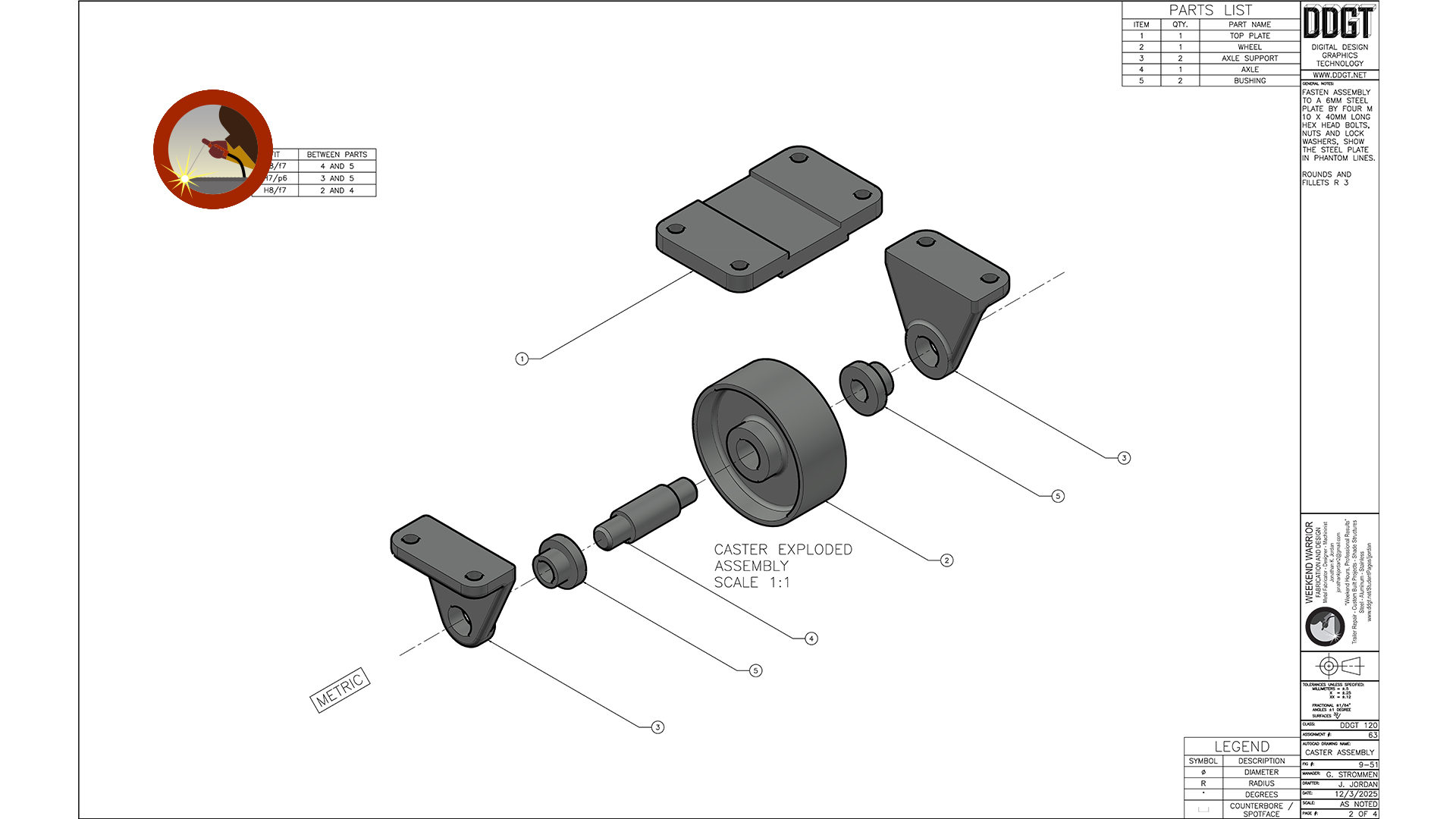
After all of the components were modeled, I assembled them into their proper positions to create the completed caster assembly. Once the full assembly was complete, I created an exploded view to better illustrate how the parts fit together and to showcase the assembly process.
Using the completed assembly, exploded view, and detailed component views, I was able to create a full working drawing sheet set consisting of a cover page, an exploded view page, and two detailed drawing pages containing dimensions, notes, and manufacturing details for the finished caster assembly.
Below, I’ve included examples from the completed working drawing package, along with rendered images that help visualize what the final manufactured assembly would look like. The first two images showcase the Cover Page and Exploded View Page from the working drawing set. These required extensive 3D modeling work in AutoCAD using revolving, extruding, and Boolean operations based on the original 2D part drawings created in model space. Feel free to click on the images for a better view.
|
The two detail pages were created using the same modeling and drafting processes as the assembly and exploded views, while focusing more specifically on dimensions, sections, and manufacturing details. | ||
|
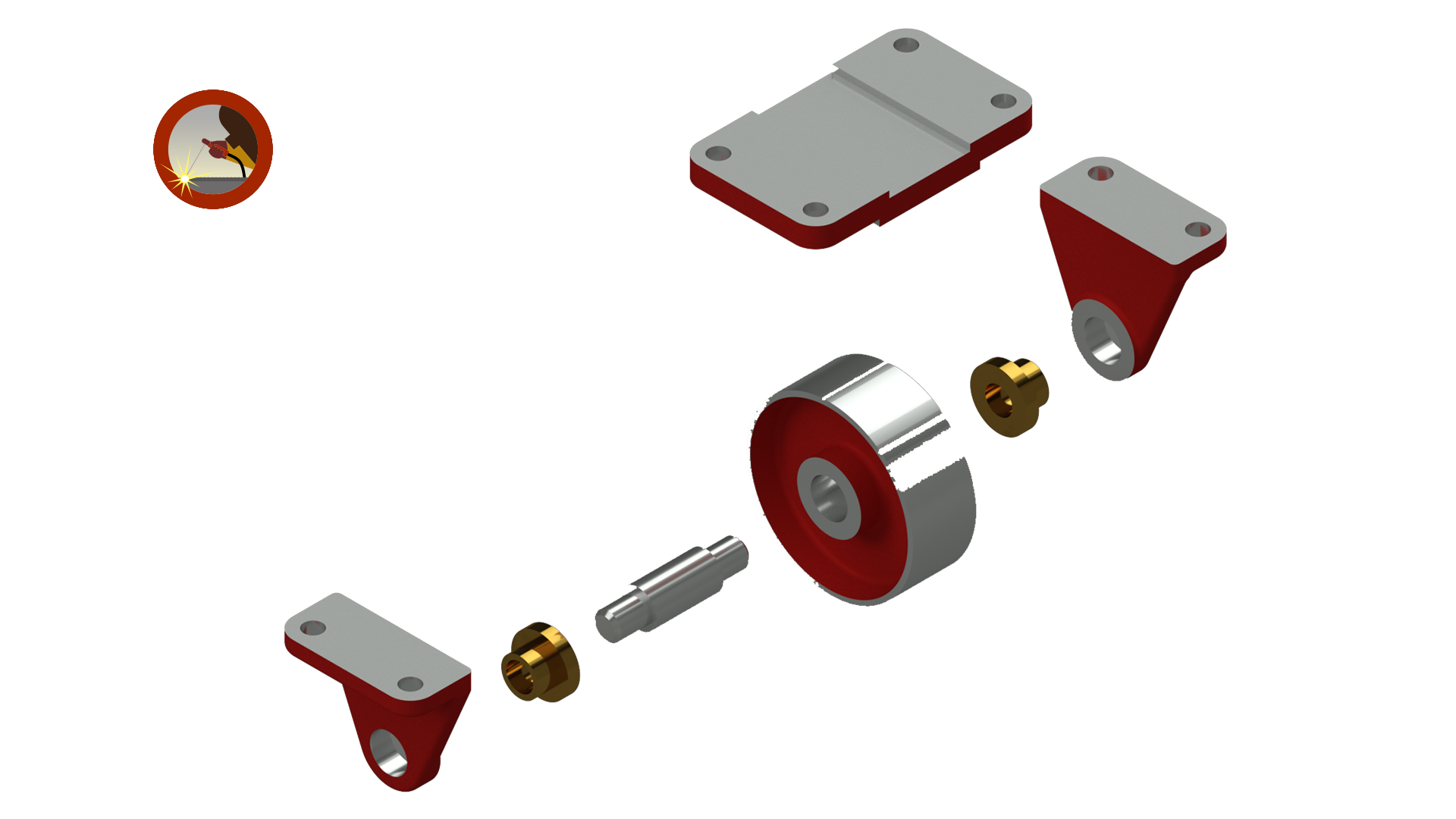
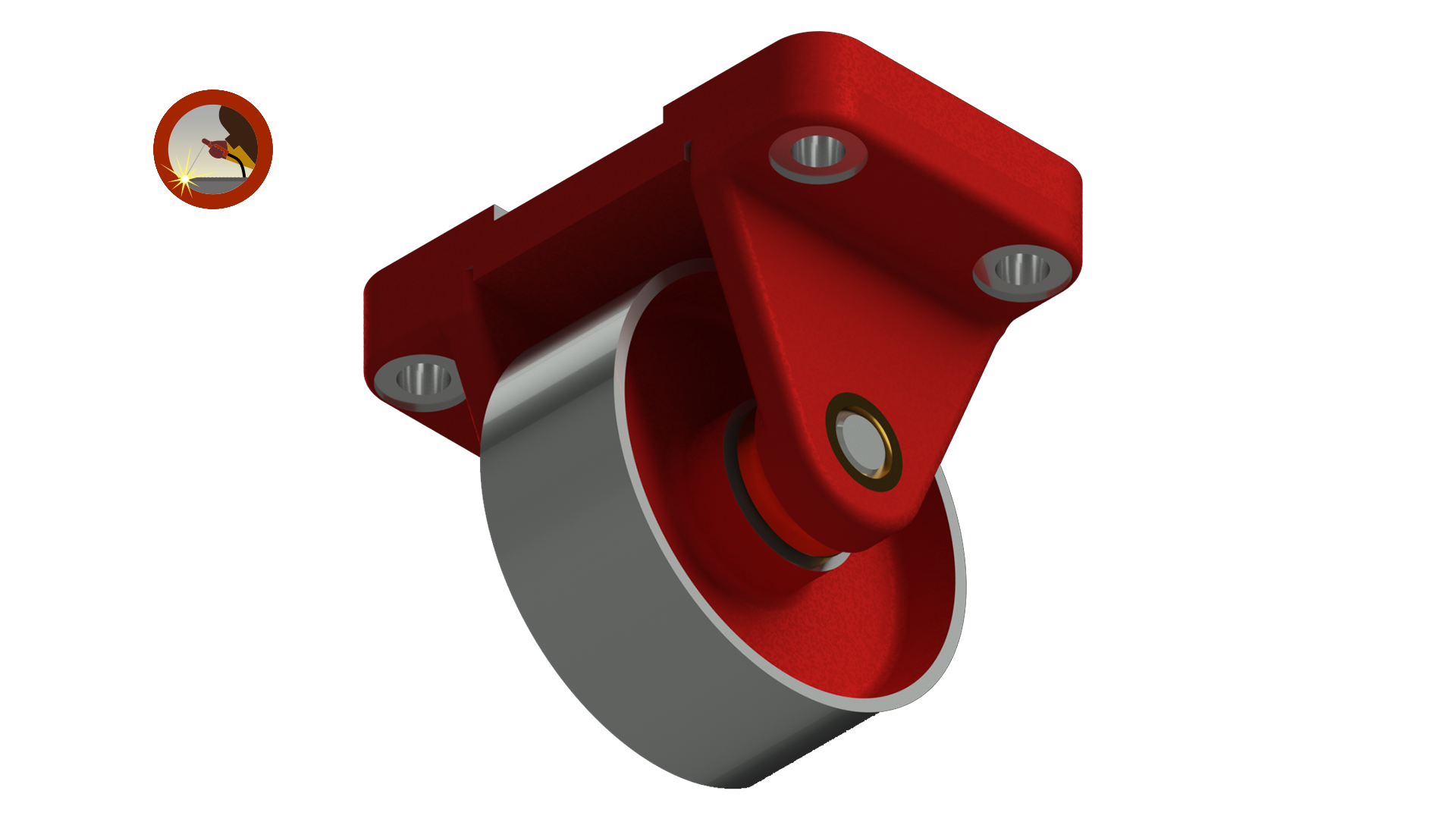
Below are rendered images from the completed project. These renderings help provide a more realistic visualization of the final product and demonstrate one of the many useful visualization tools available within AutoCAD. | ||
|
| ||